
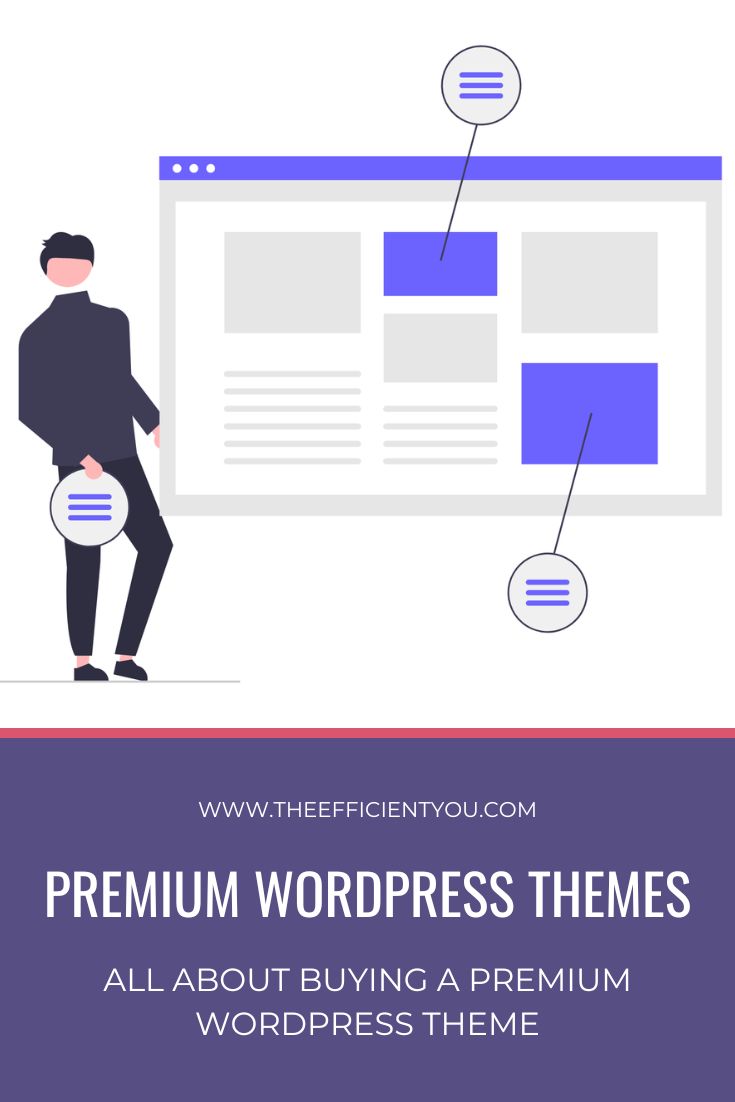
Buying a Premium WordPress Theme for Your Author Website
Okay, I get it. You loathe the thought of buying a premium WordPress theme for your author website.
There’s no reason for you to get one when you get the premium-ish-looking WordPress themes for free.
Just look at the Twenty Twenty Five theme or whatever new theme comes after that.
It looks amazing and is on par with premium WordPress themes, too.
So, why do you have to spend money on buying a premium WordPress theme when the free themes are already good enough?
Well, you’re right. There are plenty of free WordPress themes out there that can put even the premium ones to shame.
And if you’re like me, back in the old days, getting a premium WordPress theme could be a waste when you love to change your WordPress theme like you change clothes.
So, I get why you would think that getting a premium WordPress theme is totally unnecessary.
But even so, I still want you to consider getting a premium WordPress theme for various reasons.
What makes buying a premium WordPress theme a clear winner in this day and age
What is it that makes a premium WordPress theme a clear winner over a free one? Well, the reason for that boils down to these two things.
The theme framework
Thanks to the theme framework, you can configure your website even without technical know-how. What’s more, it can also reduce the number of WordPress plugins you need to use to customize the look and feel of your author website.
Of course, you will still need to install a few important ones. But at least you can spare yourself from having to install a lot of plugins, since the framework already covers the rest.
Another cool thing about the framework is that you can customize the child theme without jeopardizing the original code.
Know CSS and want to go beyond what the framework can do for you?
Well, you can do that in the custom CSS section of the framework.
Don’t know CSS?
That’s fine, too, since some theme frameworks allow you to customize fonts and colors with only a click of a button.
You don’t have to mess around with the coding only because you want your website to have specific fonts and color schemes.
The child theme
Yes, there are tons of free WordPress theme frameworks out there.
But the problem with these free frameworks is that they don’t come with a child theme. You will have to design the WordPress theme yourself if you want one.
And the not-so-good part about these free frameworks?
They can be confusing to use if you’re not a web designer.
Well, that seems to be the case for me since I’m not a web designer and I only know a tiny bit of HTML and CSS. I doubt it will help me with creating a child theme from scratch.
Sure, you can spend the time to learn HTML and CSS. But I’m sure you already know by now that you’d rather spend writing another book than learning HTML and CSS, right?
And let’s not forget it’s too technical and somewhat boring to many of us.
The good news is that many premium WordPress themes these days come with a framework and a child theme.
Love the framework but hate the child theme?
You can change the child theme to a different one, as long as it works with the framework you use.
Or you can use a drag-and-drop page builder to tweak the look and feel of your website.
Many premium WordPress themes also provide a page builder plugin.
But regardless of the tweaks you’ve made, the core functions remain the same thanks to the framework.
I can do the same for the free WordPress theme that doesn’t have a framework, too, right?
Of course, you can. But the question is, do you know HTML and CSS? Feel free to do that if you do.
But I still don’t recommend it, since any customization you do will disappear when you update the theme or WordPress to the latest version.
Good for you if you’re okay with starting over. But for most of us, that’s just not the best way to use our time wisely.
Alternatively, you can also use the page builder plugin if you insist on wanting to customize the free theme.
But only the premium ones come with a framework, though.
I doubt the free page builder plugin comes with a framework.
Recommended places to buy a premium WordPress theme
It’s all good and well that you need to get yourself a premium WordPress theme. But the question is, where to get one?
The good news is that there are so many places to choose from. But the downside is that the price varies, depending on what features the theme has.
Nevertheless, these are the places that I highly recommend you look into for the premium WordPress themes.
Divi by Elegant Themes
I’m not exaggerating when I say that the Divi theme is such a game-changer for me.
The reason is that I can create many different layouts for my website without knowing a single line of code, thanks to its drag-and-drop page builder.
Sure, you can argue that Divi isn’t the only player in town when it comes to the drag-and-drop builder now that we have so many of them out there.
But back then, it was the first one that has the drag-and-drop feature.
You can choose to create your website layout from scratch or use the premade templates if the thought of creating a page layout from scratch seems overwhelming to you.
Not a fan of any of those options?
Well, you can use the Divi AI to create the page for you instead.
Just to let you know that the Divi theme is what I use on The Efficient You website and also on my fiction author website, Sekina Mayu.

StudioPress
If you’re looking for a modern and beautiful premium WordPress theme, then you can’t go wrong with the themes by StudioPress.
What makes StudioPress a popular choice among WordPress users has a lot to do with its framework, the Genesis Framework.
Thanks to the Genesis framework, you can now create a secure WordPress site, SEO-friendly and powerful, without a hiccup.
Just like Divi, you can use StudioPress’ own plugin, the Genesis Pro plugin, to create a page from scratch. Or you can use their premade layouts to customize the look and feel of your website instead.
You can get Genesis Pro for free if you sign up with WP Engine. Alternatively, you can purchase it for $360 annually if you don’t use WP Engine as your web hosting provider.
The subscription includes the Genesis Pro plugin, Genesis framework, all 10 StudioPress-made premium child themes, and support.
Bluchic
What makes premium WordPress themes by Bluchic different is that the themes are geared toward female entrepreneurs and bloggers.
If you’re an author who writes in a genre or nonfiction books that are geared towards women, then the themes by Bluchic are perfect for your author website.
While Bluchic doesn’t have its own page builder plugin, all of its themes do use a well-known page builder plugin, Elementor.
That means you can customize the look and feel of your website like you would with Divi and Genesis Pro.
Heck, you can even create a page layout from scratch if you’d like, since the Elementor plugin can do just that.
But if you’re not a fan of creating everything from scratch, then fret not, since Bluchic also sells sales templates that match your WordPress themes.
While you can buy the theme and sales template separately, you’ll save a lot more when you buy them as a bundle instead.
Bluchic tends to run promotions from time to time. So, be sure to check my Small Business Deals posts for any special promotions from Bluchic.

Thrive Themes
On the surface, Thrive Themes isn’t that different from Divi and Genesis Pro, since you can create a professional-looking website with no coding required.
But what makes Thrive Themes different is that it’s a WordPress theme with conversion in mind.
Gone are those days when you had to figure out the look and feel of your website that would lead to conversion.
Just use the Thrive Theme Builder site setup wizard, and you can get your website up and running in 15 minutes!
Of course, you can do so much more with Thrive Themes besides getting your website up and running.
You can also use Thrive Themes to create landing pages and funnels.
And yes, they do offer more than 290+ landing pages to choose from. You can just pick any of these landing pages to save yourself from having to create them from scratch.
Just like Genesis Pro, Thrive Themes only has one pricing plan. And they all include all 8 Thrive Themes WordPress Plugins, Thrive Theme Builder, support, and so much more.
The only caveat is that you can only use Thrive Themes up to 5 websites, though.
While this should be enough for most authors, you can also get the agency license if you’re thinking about using it for more than 5 websites.
You can get Thrive Themes for $149 quaterly or $299 yearly.
Elementor
Remember when I said that the Bluchic theme is using the Elementor page builder plugin?
Well, this is the page builder that I’m talking about.
The way the Elementor plugin works is the same as Divi, Genesis Pro, and Thrive Themes Builder, where it’s also a drag-and-drop page builder.
But unlike those plugins, it has a free version.
That can be heaven-sent if you’re looking for a reliable page builder that won’t have an upfront cost.
But the downside of the free version is that it only has basic features.
You can get away with using the free version of the plugin if you’re using the WordPress themes from Bluchic, or use their free theme, Hello Theme.
But you will need to upgrade to their paid plan for the theme builder and other features, such as the eCommerce, form, and pop-up builder, to name a few.
Out of many page builder plugins, this is by far the cheapest one out there, even for the plan that comes with AI tools.

ThemeForest
Can’t seem to find anything that strikes your fancy?
Then, ThemeForest is the way to go, since it’s a marketplace for all sorts of premium WordPress themes for your author website.
To be honest, I’m not really a fan of buying a premium WordPress theme from a marketplace like ThemeForest.
But it’s worth looking into if you’re looking for something unique that you can’t replicate with the page builder plugin alone.
Installing the premium WordPress theme
It’s not that hard to install a free WordPress theme since you can install it directly from the dashboard.
But for the premium theme, you need to download the ZIP file first and upload it to your WordPress site instead.
If you’re not sure how to install the premium WordPress theme that you just bought, here’s the YouTube video from HostGator on how to do it.
Customizing your premium WordPress theme
For some of us, this part of the WordPress website setup may not be the most important thing to do. In fact, it can also be unnecessary if you’re already happy with the way your author website looks.
But if you’re like me, who wants something different for your author website, here are some of the things you can customize to fit your author brand.
Customizing the website fonts
Changing your website fonts can certainly change the overall look of your website, even if you don’t change your website layout at all.
You can think of changing your website font like you’re changing your hair color. One part of the change can have a huge impact on the overall look.
Many premium WordPress themes allow you to change the default font to a different font. In fact, you can also have a different font for your heading and the body text, too.
Using one font for everything isn’t such a bad idea. But if you want more oomph, consider having a different font for the heading and the body text.
Keep in mind that it’s not easy to find the perfect font pairing for your author website. I even have to try a few font combinations before I can settle on the right one.
The good news is you don’t have to figure out the font pairing for your website all by yourself.
You can use a website like Typ.io to find the perfect font pairing for your website.
I won’t lie, there are thousands of font pairings to choose from, even from Typ.io alone.
My best advice is to have one specific font in mind and use it to find other fonts that will work great with your chosen font.
I know it’s not an easy thing to do. But if you see enough fancy fonts and you already have a rough idea about the kind of look you want for your website, it won’t take that long for you to choose the best font pairing.
Customizing the color palette of your website
Feel like the default color palette doesn’t do any justice to your author brand?
If that’s you, then use a website like Design Seeds to find the color palette for your author website.
I admit that you can spend days there just to find the color palette that reflects the mood and tone of your author brand.
If you’re not sure which color palette to pick, my suggestion is to pick the bright color palette.
Not only does the bright color palette give a modern look to your website, but it is also visible on the screen. That’s always the case with links and buttons since links and buttons will only be visible when they’re in bright colors. Links and buttons that are in bright colors will encourage your target readers to click on them, too.
The ‘TL;DR’ (Too Long; Didn’t Read) Section
Your quick answers to all your WordPress theme woes, even the technical ones. They all sum up in an easy-to-view toggle format.
What are the main benefits of buying a premium WordPress theme over a free one?
Premium WordPress themes offer a competitive edge in website stability and design efficiency through two core components: a theme framework and a pre-packaged child theme. While free themes require deep technical knowledge or multiple plugins to customize, premium themes act as an all-in-one system that allows non-technical users to build professional websites safely and quickly without messing with code.
What is a WordPress theme framework, and how does it save time?
A theme framework is the underlying engine of your website. It allows you to configure your site’s layouts, fonts, and color schemes with a click of a button instead of writing custom code. Furthermore, a high-quality framework reduces “plugin bloat” by natively handling features that would normally require installing multiple third-party WordPress plugins, resulting in a faster and more secure website infrastructure.
Why is a pre-packaged child theme important when buying a premium theme?
Free WordPress frameworks usually don’t include a child theme, forcing you to design the visual layout from scratch. Unless you are a web designer, creating a child theme using HTML and CSS is tedious and time-consuming. Premium themes solve this by providing professionally designed child themes out of the box. They give you instant, polished aesthetics while allowing you to use premium drag-and-drop page builders to tweak the look without affecting the core functions of the framework.
What happens if you customize a free WordPress theme without a framework?
If you try to customize a standard free theme directly using custom HTML and CSS, your modifications are highly likely to disappear when the theme or WordPress updates to a new version. A premium framework acts as a protective foundation; it separates the core system updates from your design tweaks, future-proofing your website so your custom layouts remain perfectly intact after an upgrade.
Do premium WordPress themes still matter if I can use a free theme with a page builder?
Yes. While free page builder plugins allow you to customize a layout on a free theme, they do not provide a true underlying framework. Free setups lack the global layout logic, deep security protocols, and centralized system-level optimizations that a dedicated premium framework offers. Relying purely on a collection of free tools often leads to plugin conflicts and broken designs during major WordPress core updates.
How do premium WordPress themes protect against website downtime?
Premium themes offer a dedicated layer of professional accountability and support.